
Just one photo
JPG, PNG, WebP or HEIC, up to 10 MB. A waist-up or full-body shot of one person or one pet, face clear and well lit, works best. On a computer you can also scan a QR code and send the photo from your phone.
Upload one photo of yourself, a friend or your pet and get a vertical 6, 10 or 15-second video of them singing into a mic on a big night concert stage: blue LED wall, spotlights sweeping through haze, a cheering crowd with phone lights up. It plays the trend’s original live concert sound and downloads as a 720p MP4 with no watermark.
1Your photo
Upload one photoJPG, PNG, WebP or HEIC, up to 10 MBBest: a waist-up or full-body shot of one person or one pet, face clear and well lit. A busy background can sometimes slip into the video.
2Length
Continue with Google1 photo in → stage video out
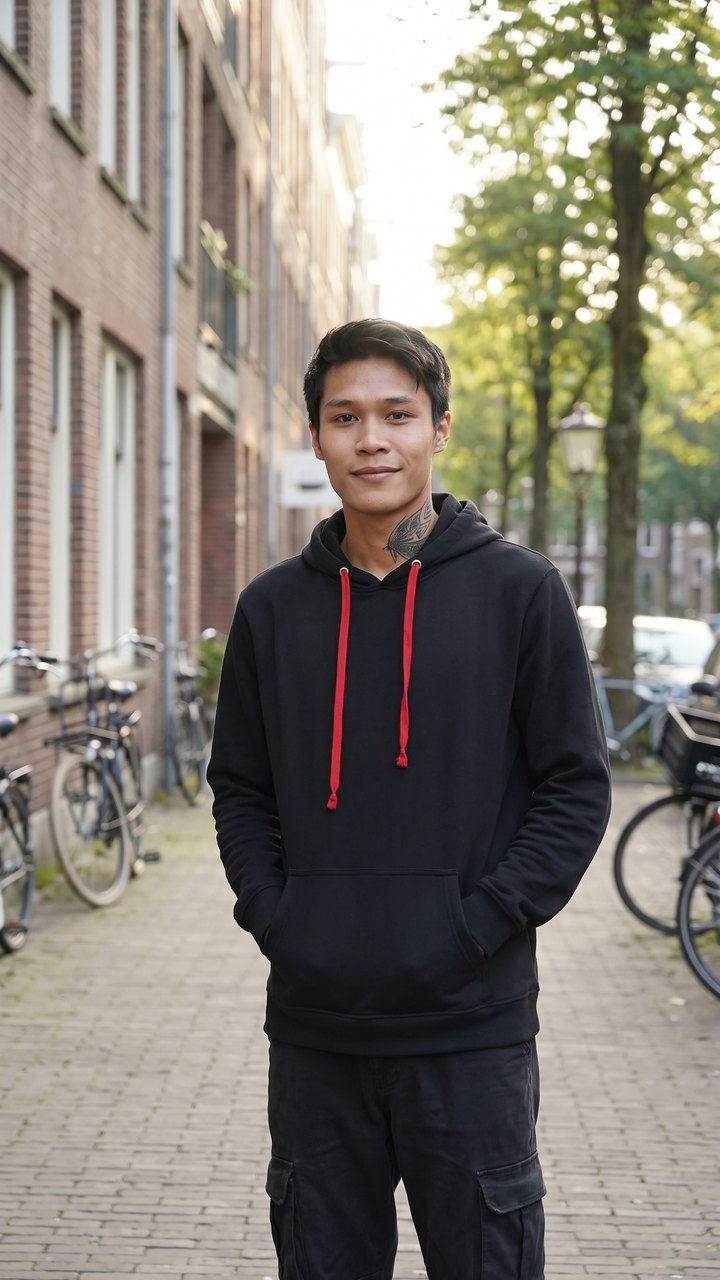
The video is a creator’s AI version from TikTok, not made here; the photo is an AI-made stand-in of the same man, showing what you upload. @m.g.l.p3 · TikTok
Viral on TikTok from Myanmar
These clips are other creators’ TikTok posts, credited and linked. None was made on this site.
The stage routine
The full 15-second video follows the stage routine in four beats: the opening line swaying in the spotlight, leaning into the mic and singing louder with a hand reaching to the crowd, walking along the stage edge pointing at the fans, then an arm up for a long held note. The 10-second video has the first three beats and the 6-second video the middle two, all over the live concert sound that started the trend.
Make My Stage VideoOne photo goes in. A fan-cam style concert clip of that person or pet comes out, with the same sound the TikTok versions use.
JPG, PNG, WebP or HEIC, up to 10 MB. A waist-up or full-body shot of one person or one pet, face clear and well lit, works best. On a computer you can also scan a QR code and send the photo from your phone.
A giant curved LED wall glowing deep blue, steel truss towers, white spotlight beams cutting through haze and a crowd with raised hands and phone lights, filmed like a fan’s handheld clip.
Your video plays the live concert recording from @goto0786’s TikTok post that started the trend. It isn’t your voice: the lips are animated as singing, not synced word for word.
6 seconds for 6 credits, 10 seconds for 13 or the full 15 seconds for 20. The full version has every beat, from the opening sway to the long held note.
A vertical 9:16 MP4 in 720p with no watermark. Download it (on iPhone, Save Video from the share sheet) or tap Share to TikTok, which copies a caption for you.
One-time packs from $9.90, no subscription, and credits never expire. A failed render is retried once for free; if it fails again, the credits come back automatically.
This is the look people are chasing: a young man in a black hoodie singing under blue spotlights, steel truss and guitars behind him. Upload a waist-up or full-body photo of yourself and the AI puts you on that stage, mic in hand, swaying into the first line and reaching out to the crowd.
It started with a real show. On September 22, 2026, @goto0786 posted a fan’s phone clip of a singer at a night concert in Myanmar, a curved blue LED arch behind him. That post’s original sound became the trend’s sound, and it’s the one your video plays too.
People put friends, parents and pets on the stage, men and women, with a rap or a ballad feel. Ask your friend first, keep it to adults 18 or older, or skip the asking and give the mic to your dog or cat.
A full 15-second video uses 20 credits, a 10-second video 13 and a 6-second video 6. You pay once, and your credits never expire.
Single
One full stage video to try it.
Trio
You and two friends on stage.
Crew
Enough for the whole friend group.
FAQ
Quick answers about making the stage singing AI effect. Anything else? Email [email protected].
It’s a TikTok trend where a person from one ordinary photo appears singing into a mic on a big night concert stage, with a blue LED wall, spotlights and a cheering crowd, set to the same live concert sound. It grew out of a fan’s concert clip from Myanmar posted on September 22, 2026, and AI versions on that sound followed from September 26. This site makes your own version from one photo.
There’s no free trial and no credits for signing up, but you can earn credits by inviting friends: +1 credit for each friend who signs up with your link (up to 50), and +10 when an invited friend makes a first purchase. Otherwise the smallest pack, Single, is $9.90 for 20 credits: one full 15-second video or three 6-second videos. Packs are one-time payments, not a subscription.
A failed render is retried once automatically, for free. If it fails again, its credits go back to your account automatically, and the same goes for photos the AI provider refuses, such as celebrities or screenshots with another app’s watermark. If a finished video has a problem, email support and we refund the credits that video used in money to your original payment method; if you’ve used only part of a pack, the credits you haven’t used are refunded in money too.
Your photo is stored privately, used only to make your video and deleted automatically 30 days after upload. The AI provider doesn’t keep it, and we never sell photos or use them to train models. Your videos stay in your account, and you can email us to delete your photos, videos or whole account sooner.
No, every video plays the trend’s original sound: the live concert recording from @goto0786’s TikTok post, the same sound the TikTok versions use. It isn’t your voice, and you can’t swap in your own song or audio. The lips are animated as singing, not synced word for word to the recording.
Yes, pets are welcome. Use a photo of one pet with its face clearly visible and well lit; a shot that shows most of the body works best. Results are AI-generated, so each video comes out a little different.
No, Stage Singing Effect is a website, so it runs in the browser on your phone or computer; you sign in with Google to upload. On a computer, the upload-from-your-phone button shows a QR code: scan it, pick the photo on your phone and it appears on the computer in about 2 seconds.
When the video is done, tap Share to TikTok, which also copies a caption for you to paste, or tap Download (on iPhone it opens the share sheet, then choose Save Video). It’s already a vertical 9:16 video with the trend’s sound on it. Please label it as AI-generated when you post.
Pick one photo, choose 6, 10 or 15 seconds and get a vertical concert clip with the trend’s sound, ready to post.